Computer Classes
SIGN UP TODAY FOR FREE COMPUTER CLASSES AT THE LIBRARY!
Let us assist you with learning how to use a computer! All Classes are FREE and will take place in the Library. The maximum capacity for each class is 6 people.
**All Computer Classes are subject to change. Computer class registration links can be found below.**
Have questions or need help registering? Contact Chris, the Computer Instructor, at satterc@einetwork.net or at 412-833-5585.
Upcoming Classes

Tuesday, October 13 | 5:30pm
E-Books & E-Readers Class
Computer Area, South Park Township Library

Tuesday, October 20 | 5:30pm
Social Media: Facebook Class
Computer Area, South Park Township Library
1-on-1 Tech Help Appointments
Unable to attend a class? Just have a simple question? Contact us to set up a 1-on-1 Tech Help Appointment.
South Park Township Library offers 1-on-1 Tech Help Appointments for questions regarding (computers, smartphones, tablets, Internet searches, general computer skills, etc.). Each 1-on-1 Tech Help appointment will take place at the Library.
To Schedule an Appointment, PLEASE CONTACT THE LIBRARY AT 412-833-5585. When you call, please specify what you would like help with and if you will be bringing your own device. Please bring any relevant information such as login information (usernames and passwords).
If you cannot make a scheduled appointment, please call the Library as soon as you can.
**PLEASE BE ADVISED, the Library staff DOES NOT PROVIDE IN-HOME TECH SUPPORT. In addition, the Library staff CANNOT help with fixing a personal computer, tablet, or other mobile device.**
Computer Usage & Other Important Information
– Library Patrons MUST HAVE A LIBRARY CARD, that is in good standing, to access one of our public computers. Patrons will need to type in their library card’s barcode number to log onto the computer.
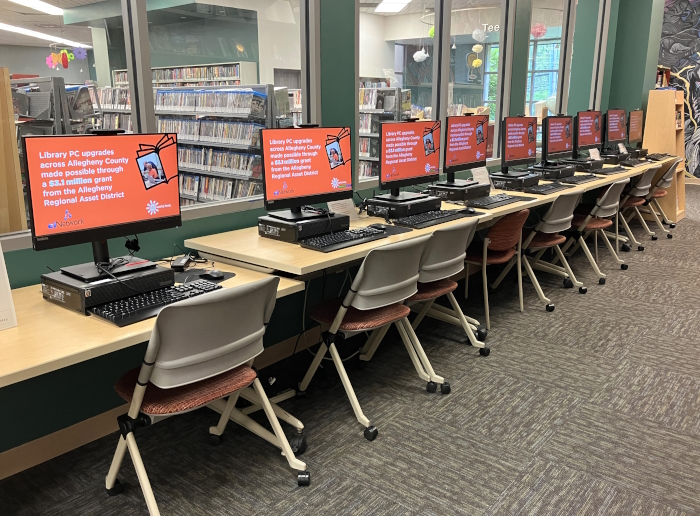
– All 9 patron computers run the Windows 11 operating system. Each computer is equipped with a DVD-Rom drive, a 3.5 mm audio-out port for headphones, one USB-C port, multiple USB Ports for flash drives and other storage devices, one SD Card slot, and a built-in webcam that is located at the top of the computer monitor.
– Headphones are available at the front desk. Patrons need to have a library card to borrow headphones.
– During an active session, the library computer will AUTOMATICALLY RESTART itself if a patron leaves it idle for 5 minutes.